
Change the Location Websites See
Choose a point visually on Google Maps or paste exact coordinates. GeoShift makes browser geolocation testing fast, precise and easy.
Scope Disclosure: GeoShift changes coordinates returned by the browser’s
navigator.geolocation API on supported websites. It does not change your IP address,
timezone, WebRTC signals or account region.
How It Works
Test custom browser locations in three straightforward steps.
1. Choose a location
Pick a point on Google Maps or paste coordinates.
2. Select the scope
Apply it to the current website or use Global Mode.
3. Test immediately
Supported websites receive the updated browser GPS coordinates.
Key Utilities
Visual tools and control structures to manage coordinates reporting.
Visual Google Maps Picker
Choose location coordinates visually by dropping a pin directly onto Google Maps. GeoShift reads coordinate centers automatically.
Clipboard Parser
Paste coordinates or Google Maps URLs. The parser extracts raw GPS values instantly.
Scope Selection
Spoof location browser-wide in Global Mode, or isolate settings per tab origin.
Local Storage & Privacy
All configuration maps, presets, and history lists are kept exclusively inside Chrome storage. There are no tracking servers or analytics listeners.
Product Showcase
Explore the interface components of the GeoShift extension panel.
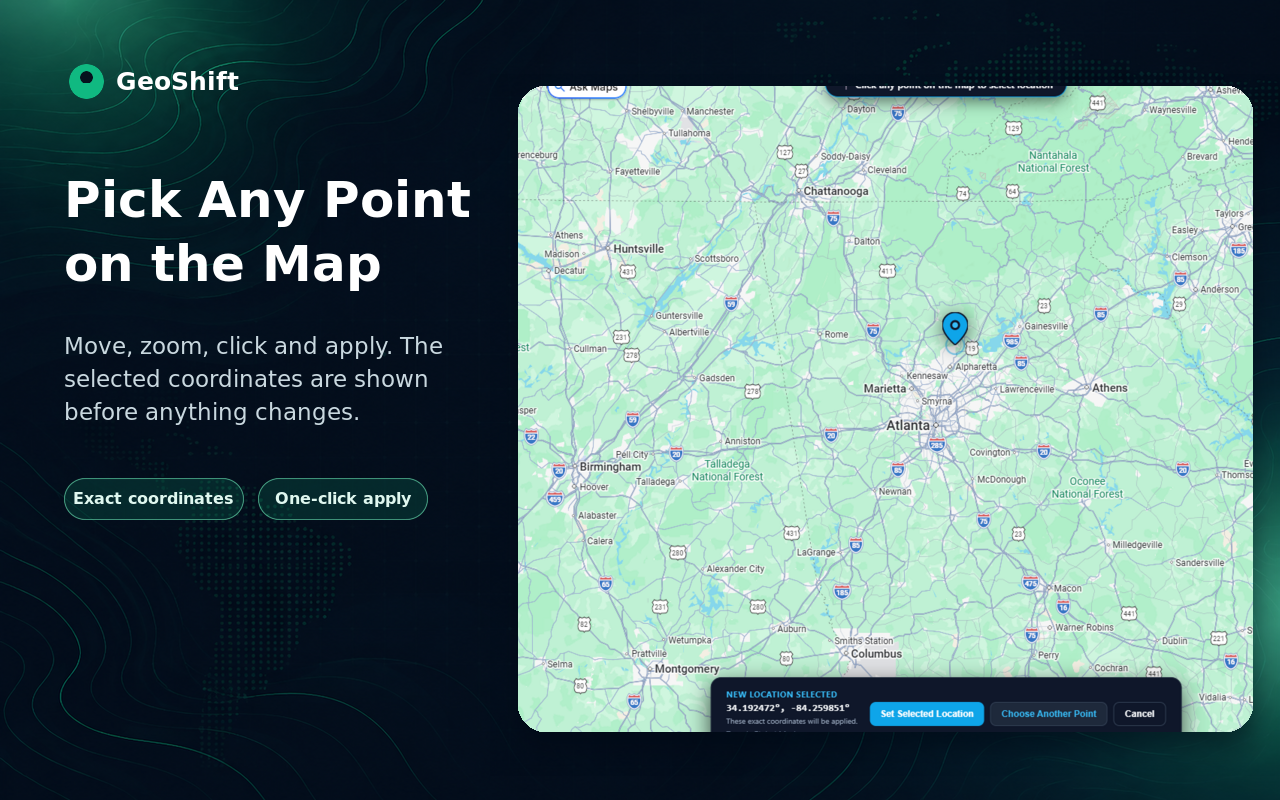
The Visual Map Picker lets you choose location coordinates by dropping a pin directly onto Google Maps.
Private by Design. Honest About Scope.
A clear, transparent overview of GeoShift's security boundaries and data practices.
Local Browser Storage
All location preferences, history logs, and saved presets are written directly to your browser storage profile.
No Backend Servers
We operate no external coordination servers, tracking pipelines, database warehouses, or backend collection logs.
No Telemetry or Trackers
GeoShift collects zero analytical events, usage metrics, cookie markers, or user identity logs.
No Accounts Needed
Start testing immediately. There are no registration forms, profile logins, or license credentials required.
IP Address Unchanged
GeoShift spoofing is restricted to browser APIs. Your network IP address, timezone, and proxy channels remain completely unchanged.
On-Demand Map Contacts
When you choose to open Google Maps, your browser communicates with Google under Google’s privacy policy.
Frequently Asked Questions
Clear answers regarding permissions, timezone support, and coordinate testing.
GeoShift intercepts coordinate requests returned by the browser's JavaScript
navigator.geolocation API (like getCurrentPosition() and
watchPosition()) on supported websites.
No. GeoShift does not route your network traffic through proxy servers, VPN setups, or modify your network IP address.
No. Your local operating system and browser profile timezone configurations remain completely unaffected.
No. All coordinate history log lists and presets are stored strictly inside your local Chrome profile storage context.
To override coordinates at page startup, Chrome requires host permissions to inject the interceptor scripts before other page resources load.
For standard geolocation queries, the returned override parameters match native behavior. However, websites checking network IP parameters may still identify discrepancy signals.
Overrides work on identical-origin elements. Cross-origin nested iframe contexts may be blocked from receiving coordinates updates due to browser sandboxing limits.
Your browser connects directly to Google Map servers. That connection is governed under Google's standard privacy policies and terms.
No. GeoShift is not affiliated with, endorsed by or sponsored by Google LLC. Google Maps and Google Chrome are trademarks of Google LLC.